
logo
welcome
  • Website
  • Catalog
       

Research & Learning
All Databases
Find Magazine & Newspaper Articles
Download eBooks, Audiobooks, and Music
Mobile Library Apps
Online Learning
Citizenship
Citing Sources
About Databases
JavaScript disabled or chat unavailable.

OverDrive |  OneClickdigital |  Freegal

What would you like to download today?

 
  • eBooks
  • audiobooks
  • music

Announcement

A new OverDrive catalog here! Click to learn about the Next Generation Experience including easier check out, and reading on your computer, smart phone or tablet's browser with OverDrive READ!

We are in the process of updating our slideshows to reflect the new catalog. Visit OverDrive's help site for more information about the new OverDrive catalog.

What device do you have? Click on your device for instructions

kindle ipad android
nook color nook other

Enjoy thousands of free eBooks from the County of Los Angeles Public Library. Check out up to 10 titles at a time. Titles automatically expire - no late fees! You'll need:

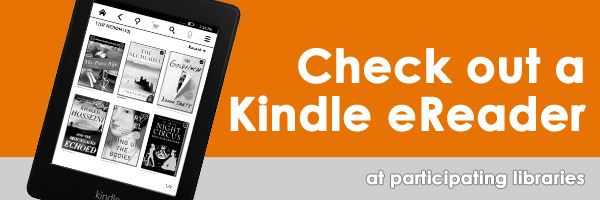
Kindle

Start with the library's OverDrive website to browse and check out Kindle eBooks with your library card. Transfer via WiFi to your Kindle device or connect your cord for USB transfer (3G transfer is not available).

Due to publisher restrictions, some titles cannot be delivered by WiFi and must be transferred via USB to a Kindle device.

Instructions: One-page handout, Online instructions, Slide show (below)


Returning eBooks

If you finish your Kindle book early, you can return it so others can check it out.


iPad, iPhone, iPod Touch

Two Options:

1. OverDrive READ – Read eBooks on your web browser on the device or tablet. Not all titles are available in this format. Information here.

2. OverDrive App -Download the free OverDrive App from iTunes (iPad, iPhone, or iPod Touch) to browse, check out, download, and enjoy eBooks.

Instructions: One-page handout, Online instructions, or Slideshow


Android Phones & Tablets

Two Options:

1. OverDrive READ – Read eBooks on your web browser on the device or tablet. Not all titles are available in this format. Information here.

2. OverDrive App - Download the free OverDrive App from Google Play to browse, check out, download, and enjoy eBooks.

Instructions: One-page handout, Online instructions, or Slideshow (below)


Barnes & Noble Nook HD, Color or Tablet

Nook HD, Nook Color and Nook Tablet users can now search, check-out, and download EPUB eBooks from OverDrive wirelessly with the free OverDrive App. The app is available from the Barnes & Noble App Storefront.

Nook HD, Nook Color and Nook Tablet users can also read many eBooks on the Nook's browser using OverDrive READ (not all titles are available in this format).

Nook HD, Color or Tablet users can also can download the EPUB book to their computer, connect the USB cord and transfer it to the device. See instructions for the Nook Black & White.

Instructions: One-page handout, Slideshow (below)


Barnes & Noble Nook (black & white), Sony Reader, other eReaders

Barnes & Noble Nook (Black & White or HD/Color/Tablet), Sony Reader, Kobo, Pandigital, Literati eReaders can download EPUB eBooks and transfer them to your device.

One-time setup: Download and install Adobe Digital Editions on your Windows or Mac computer, and create an Adobe ID.

Browse, check out & download an EPUB book on your computer through OverDrive. Then connect the device to your computer with the cord and transfer the eBook to your device. Eject your device and enjoy your eBook!

Instructions: One-page handout, Online instructions, or Slideshow (below)


Windows/PC or Mac Computer & Others

Books in the OverDrive READ format can be read in your computer's browser. Learn more here.

You can also read eBooks on your Windows or Mac computer by download the Adobe Digital Editions software. Instructions: PC or Mac.

You can download the OverDrive App for Blackberry or Windows 8 phones. Instructions: Blackberry | Windows phone


Help

Please visit the OverDrive Help page to find how-to videos, screenshots and detailed instructions. Still need help? Contact support.

What do I need?

  • A County Library card in good standing
  • A device or computer to listen to the audiobooks on (more on this below)
  • Access to the Internet - you can even use the County Library Wi-Fi (in some cases)

Audiobooks from OverDrive

OverDrive has a selection of audiobooks available in MP3 and WMA formats.

Just download the audiobook to your computer and transfer it to your device using the OverDrive Media Console, or you can download directly to a mobile device using an OverDrive App!

Check to make sure your device is in the list of compatible devices.

How does it work?

Download to Windows/PC (and transfer)
You can download both MP3 and WMA files to your PC, and transfer them to your player if you wish. Learn more.
Remember to check if your device is compatible.
Download to your mobile device
The OverDrive Media Consule lets you download MP3 audiobooks to your iPad, iPhone, iPod Touch, Android Phone or Tablet, and Blackberry. Get the app and learn how (1 page pdf).
Download to your Mac computer (and transfer)
You can download MP3 audiobooks on your Mac computer, and then transfer them to your Apple player. Learn how.

Need help?

Audiobooks from OneClickdigital

Audiobooks from OneClickdigital can be downloaded to your computer, and then transferred to a portable device. iPod, iPad, and iPhone users can download directly to their device using the OneClickdigital App after creating an OneClickdigital account.

How does it work?

  1. Sign up for an OneClickdigital account. Learn how: read a one page document or watch a video.
  2. Get a OneClickdigital Media Manager for PC or Mac, or download the OneClickdigital App to your iPhone, iPad, or iPod Touch.
  3. Find a book, check it out, and download it.
  4. Return books early using the OneClickdigital Media Manager.
Download to Windows PC (and transfer)
Download the OneClickdigital Media Manager for PC. Find an audiobook, check it out, and download it. If you use Windows Media Player, the audiobook will transfer to your supported device. If you use iTunes, the audiobook will transfer to your Apple device.
Download to Mac (and transfer)
Download the OneClickdigital Media Manager for Mac from the Mac App Store. Find an audiobook, check it out, and download it. The audiobook will transfer to your Apple device via iTunes.
Download directly to an Apple device - OneClickdigital Mobile App
iPhone, iPad, and iPod Touch users can download the OneClickdigital App from the Apple Store. You will need to create an OneClickdigital account on a computer before using the App.

Need Help?

  1. Click on the "Help" tab in OneClickdigital. You will find video tutorials, help on devices, and FAQs.
  2. Contact OneClickdigital's support team.
  3. Contact us

Downloadable Music from Freegal Music

Find new music or old favorites, and download 3 DRM-free songs per week with your library card.

How does it work?

  1. Log in with your library card and find a song you would like. Click Download Now and save the file to your computer.
  2. Listen to the song preview to find what you want to download.
  3. Once the song is on your computer, you can put it on any MP3 player or listen to it with any media player. There is no Digital Rights Management attached to the file.
  4. After you have downloaded 3 songs, return the following week, beginning Monday, to get three more.
  5. iPhone, iPad, iPod Touch (iTunes) and Android (Google Play) users can download the Freegal App to download directly to your device.

Need help?

  • Read Freegal's FAQ by logging into Freegal first, and then clicking on the "FAQ" link in the upper right hand corner.
  • Contact us